Manage.ai
AI Model Monitoring Hub
Manage.ai helps ML and AI teams move from noisy alerts to understanding root causes and taking the right next action.
Timeline
2024 - 2025
My Role
Senior Product Designer
Type
ML Ops · B2B Saas
Responsibilities
UX Architecture · Operational UX Flow · Design system · Usability Testing
Overview
As AI systems move into production, monitoring and detecting issues became easy.
Most platforms can detect anomalies, drifts, and failures but detection alone has created a new problem: too many alerts and not enough explainability.
Across the industry, ML and data teams are swamped by noisy signals, generic thresholds, and dashboards that surface what happened without explaining why or what to do next. Investigation is often manual, requires using multiple external, unsynced tools, and highly dependent on individual expertise.
At the user interviews phase different teams approached investigation from different angles.
This led me to take a multi-dimensional investigation model, similar to my experience in editing tools - where multiple ways can get the same results, allowing users to investigate using the path that best fits their habits.
Challenges
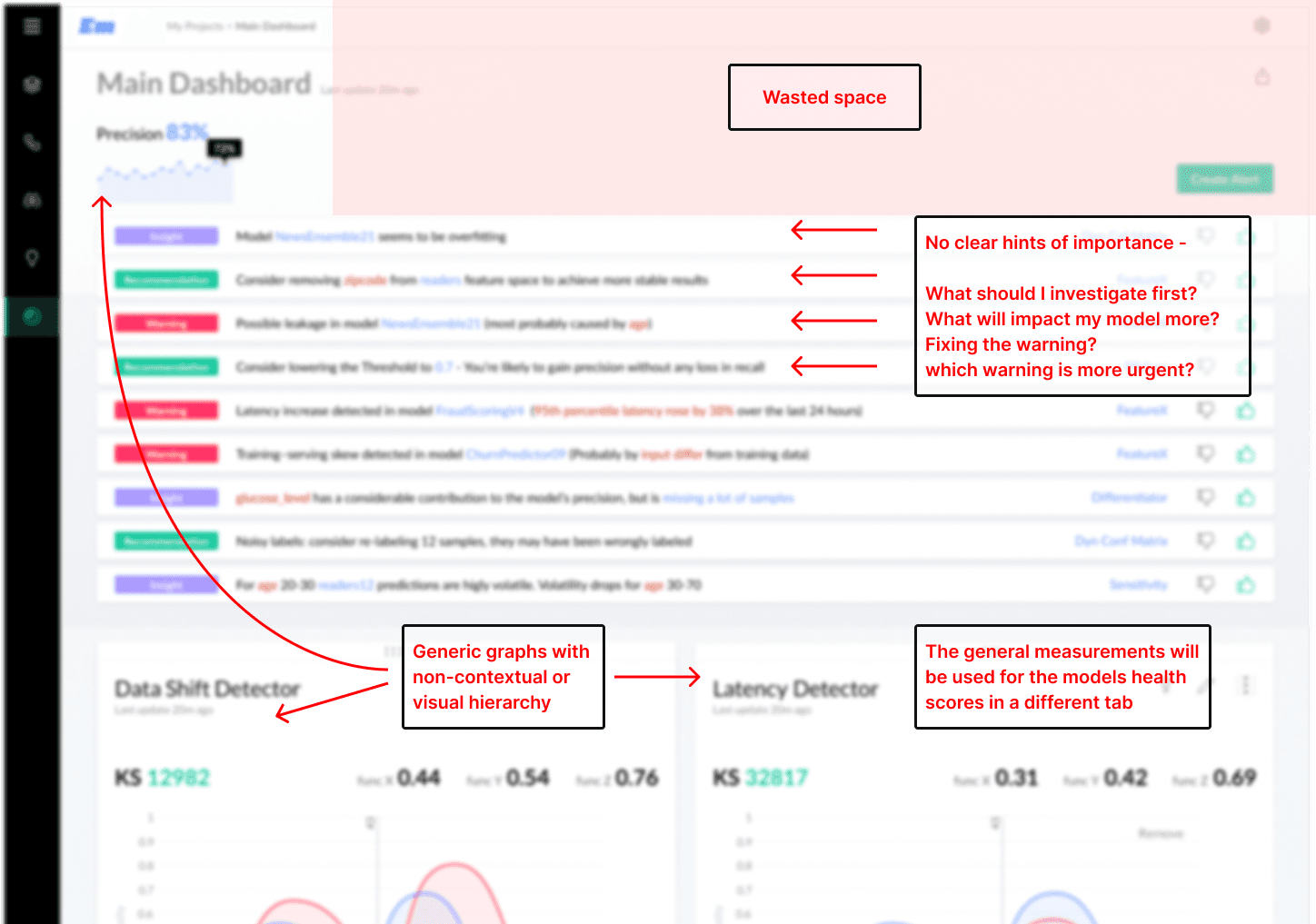
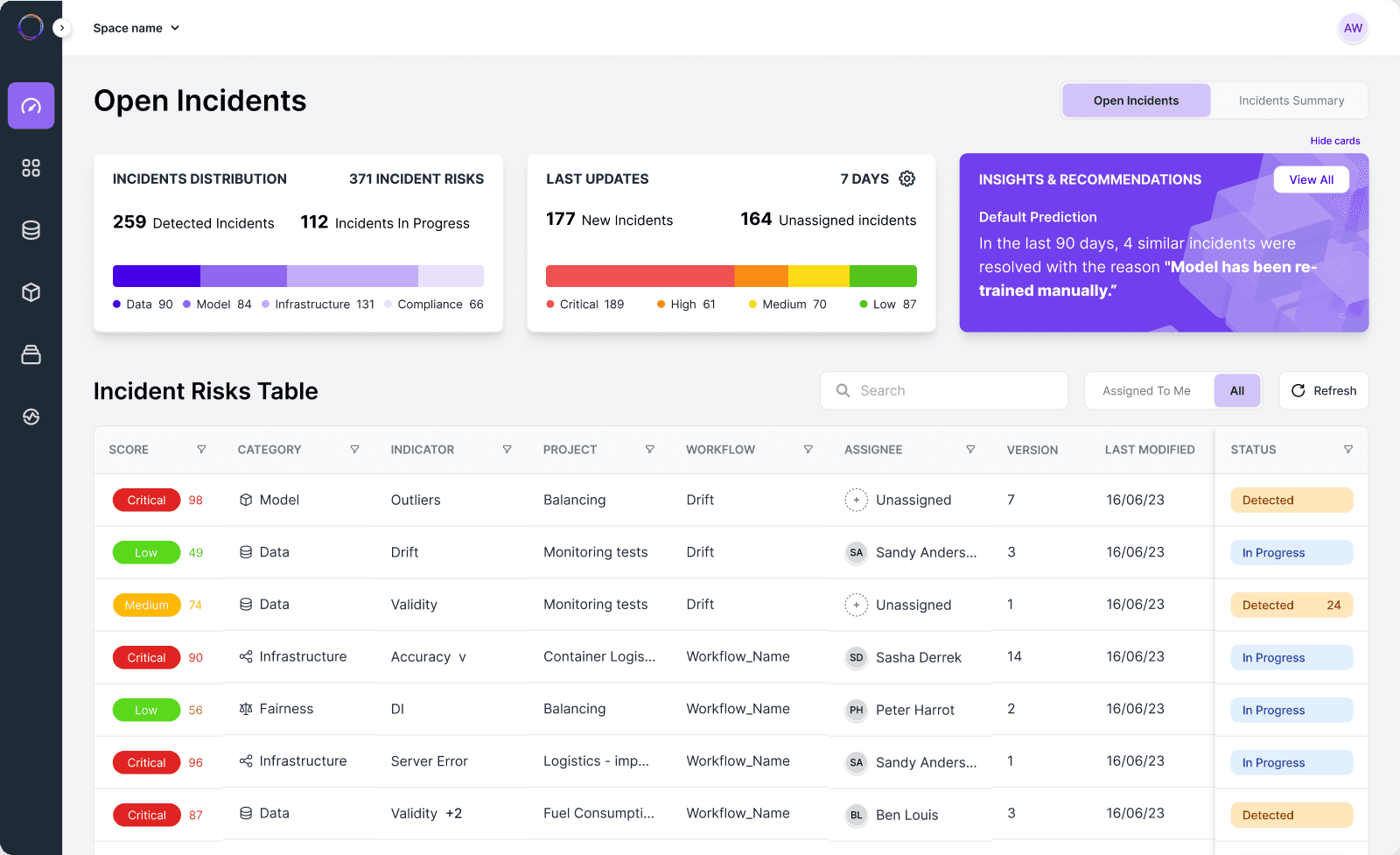
The system was originally shaped by the engineering team, without any design layers.
This resulted in Insufficient visual hierarchy between critical data and secondary information, making it difficult to prioritize actions
Like many AI monitoring platforms, it had Limited transparency and users could see issues, preventing users from clearly understanding their model's state and mitigation progress.
The system enforced fixed paths and generic thresholds
that made navigation flow overly complex, leading to frequent and unnecessary transitions between the rules, settings and incidents screens.
As the technology and coverage grew, alert volume increased, requiring manual, trial-and-error tuning.
This led to alert fatigue, reduced trust, and slow response times.
Research
Methods I've used
User interviews via internal company channels to collect their needs and pains and wants.
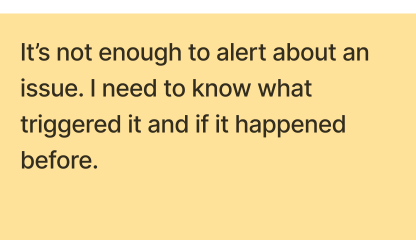
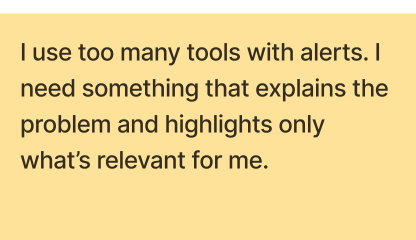
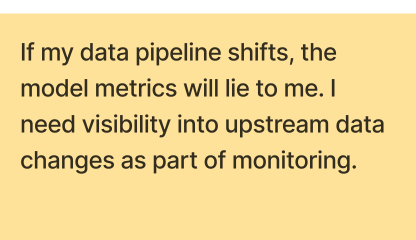
quotes from user interviews
Cross teams design sprint for discovery and needs mapping, prioritized JTBD and the users pain points.
Brainstorm sessions: Review of the legacy interface and whiteboard sessions with the VP product, Dev, and data research teams for all of us to agree on one or two concepts.
Problem framing
Users need a fast and clear way to understand their model status and act upon the most important issues to improve it.
Key insights
Users needed instant signals of what alert is the most important for them to act upon
Different users approached the same issue from different angles with different interest points
Users expressed frustration with global thresholds and generic metrics that didn’t reflect differences between models, datasets, or use cases
New users struggled with the onboarding - it required heavy setup before seeing any value. Teams preferred to postpone deeper configurations until trust and value were established
Data operators needed technical data and real time details, stakeholders cared about health, risk, and SLAs at a higher level.
Competitive analysis
I researched 6 monitoring/observability tools; reviewed and mapped alerting, root cause analysis depths, and cross‑functional UX features using claude (The King!)
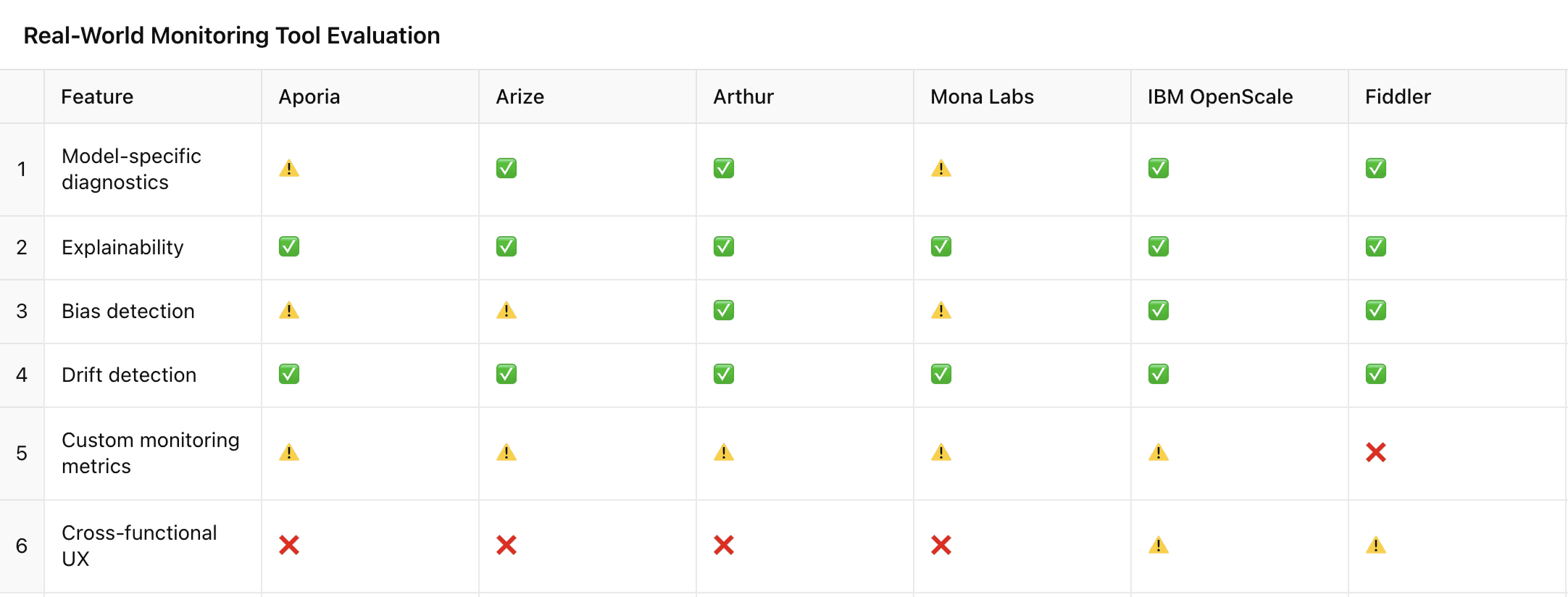
Features analysis
Key decisions
The 3 main goal we decided on to increase the experience and value of the product:
Smart Alerting
Grouping alerts into incidents with risk signals: Alerts are united into incidents with severity, recurrence, ownership, and category
Embedding inline feedback actions: Confirm / mute / flag incident directly in context with AI reasoning and review loops for quick implementation.
Actionable Guidance
Recommendations with potential impact: The system suggests contextual recommendations that explain what to do next and why, including expected risk remediation, performance, or business outcomes.
Decision support in real time: Instead of leaving users to interpret data alone, the system guides them from investigation to possible actions
Contextual collaboration: Incidents can be assigned to the most relevant teammates across projects, get contextual input quickly, and eventually resolve issues faster
Dynamic Root Cause Analysis
Multi-path investigation: Users can choose how to investigate incidents by what they think is best approach: data quality, features, outliers, historical baselines and much more
Explainability at the core: Contributing factors are surfaced progressively, reducing manual analysis and shortening time to understanding.
Success metrics
To evaluate the success of the redesign, we tied key UX decisions to measurable business and operational outcomes.

User Flows
Mapped critical end-to-end user flows across roles and decision points, how Data Scientists, ML Ops, and business stakeholders handle high-risk incidents in practice, identifying key handoffs, decision moments, and ownership shifts—from detection to root cause analysis and remediation.
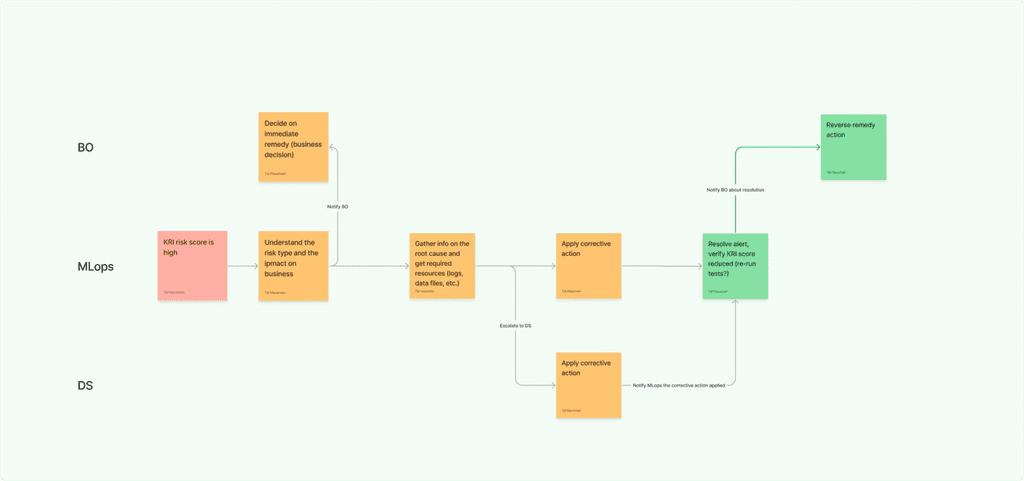
example of HIGh KRI handling flow
Ideas sketching
I started with sketches for layouts and collect feedback about them.
Then moved to wireframes and low fidelity prototype to understand behavioral patterns and validate task completion with 5 super‑users (Heavy users that know the system well).
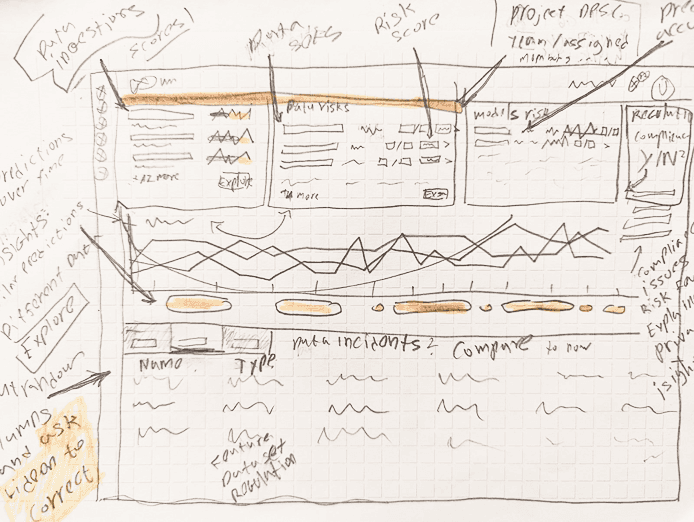
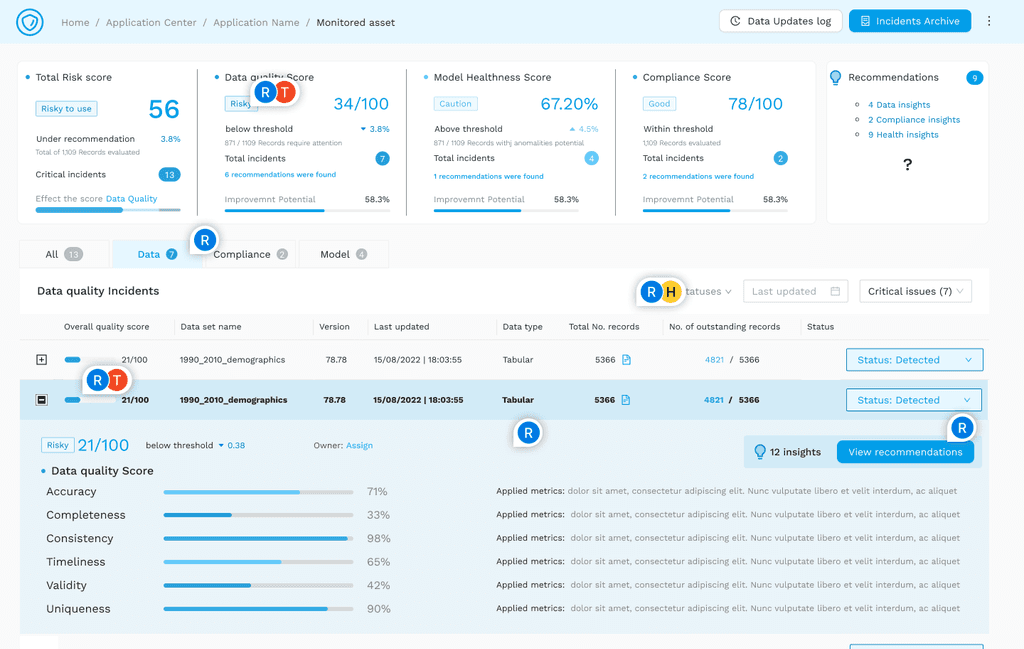
Sketches and Low Fidelity Wireframe
UI & Design System
I've built the DS on tailwind and react based components with customizations and upgrades. Included new components such as KRI Cards, Tables with smart filtering, and Status Badges.
This made seamless visual consistency across all screens and helped the dev team launch faster.
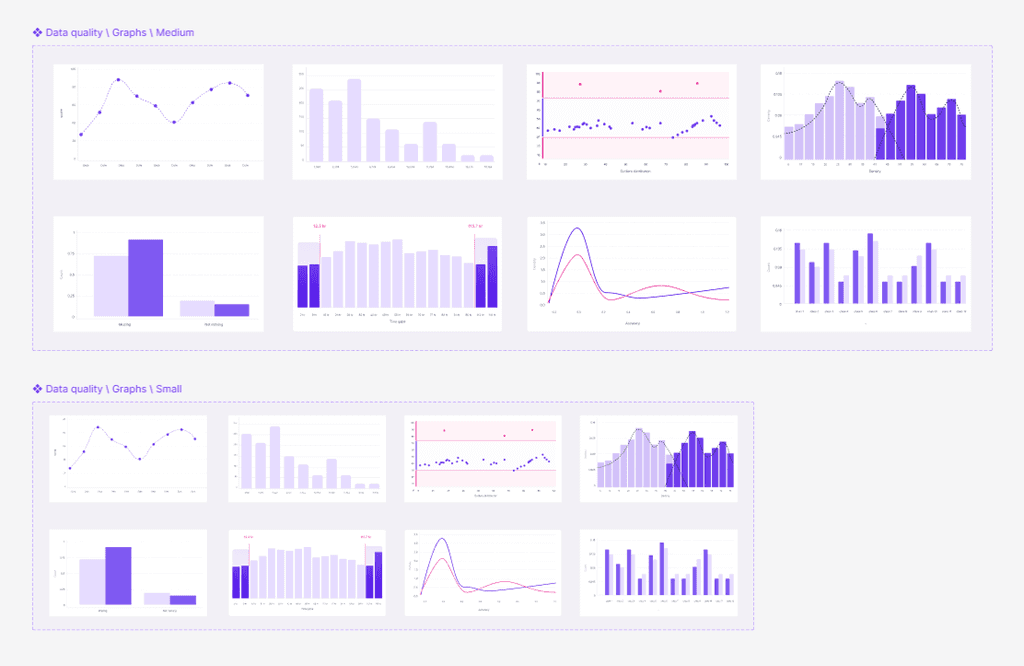
Graphs from Plotly (Open source library) EMBEDDED into tailwind
User testing
Multiple rounds of usability and QA were tested with Data Scientists and ML teams using real incident scenarios. A/B performance comparisons between different alerts-> investigation-> mitigation flows.
Final results
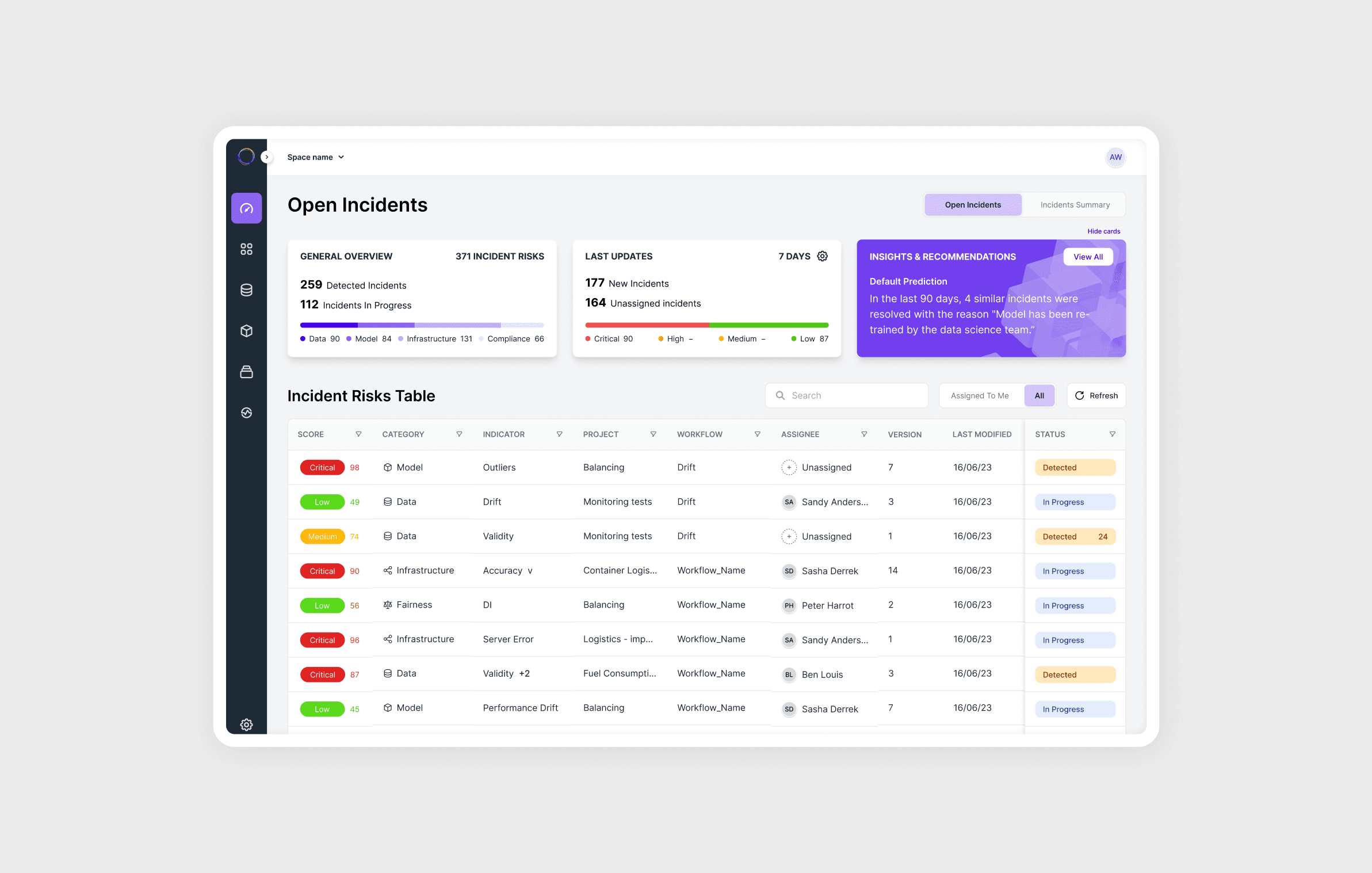
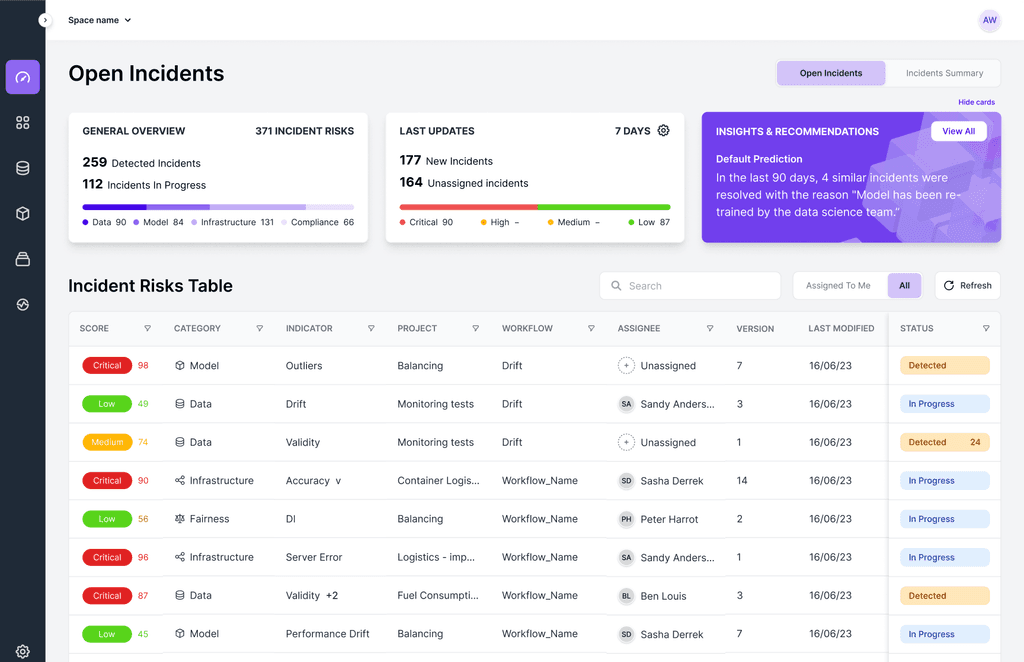
Dashboard and alerts feed
Grouped incidents with severity & risk badges signal users what is their urgent incident to review.
Inline actions and smart column filters allow users to explore by their specific needs.
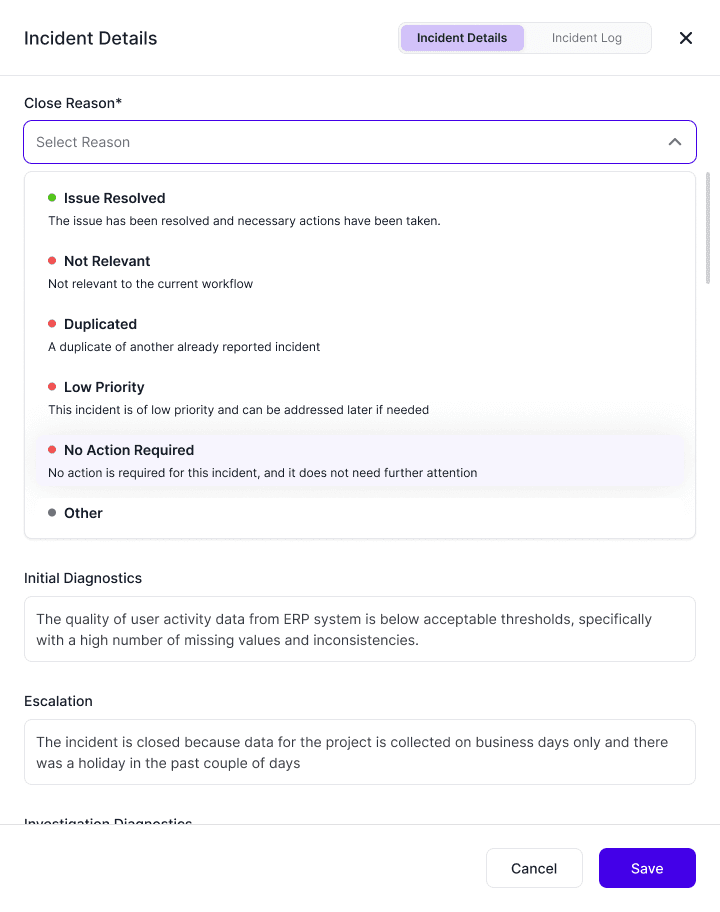
Inline feedback
Inline feedback allows actions such as: Confirm / Mute / Flag / Unnecessary so the system can learn and avoid alerting overloads.
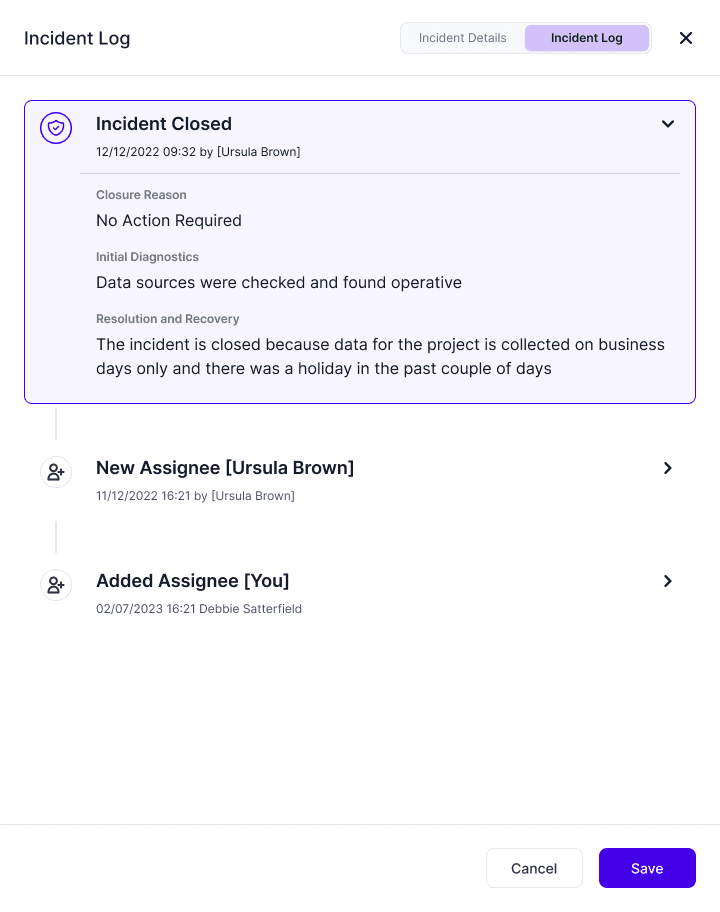
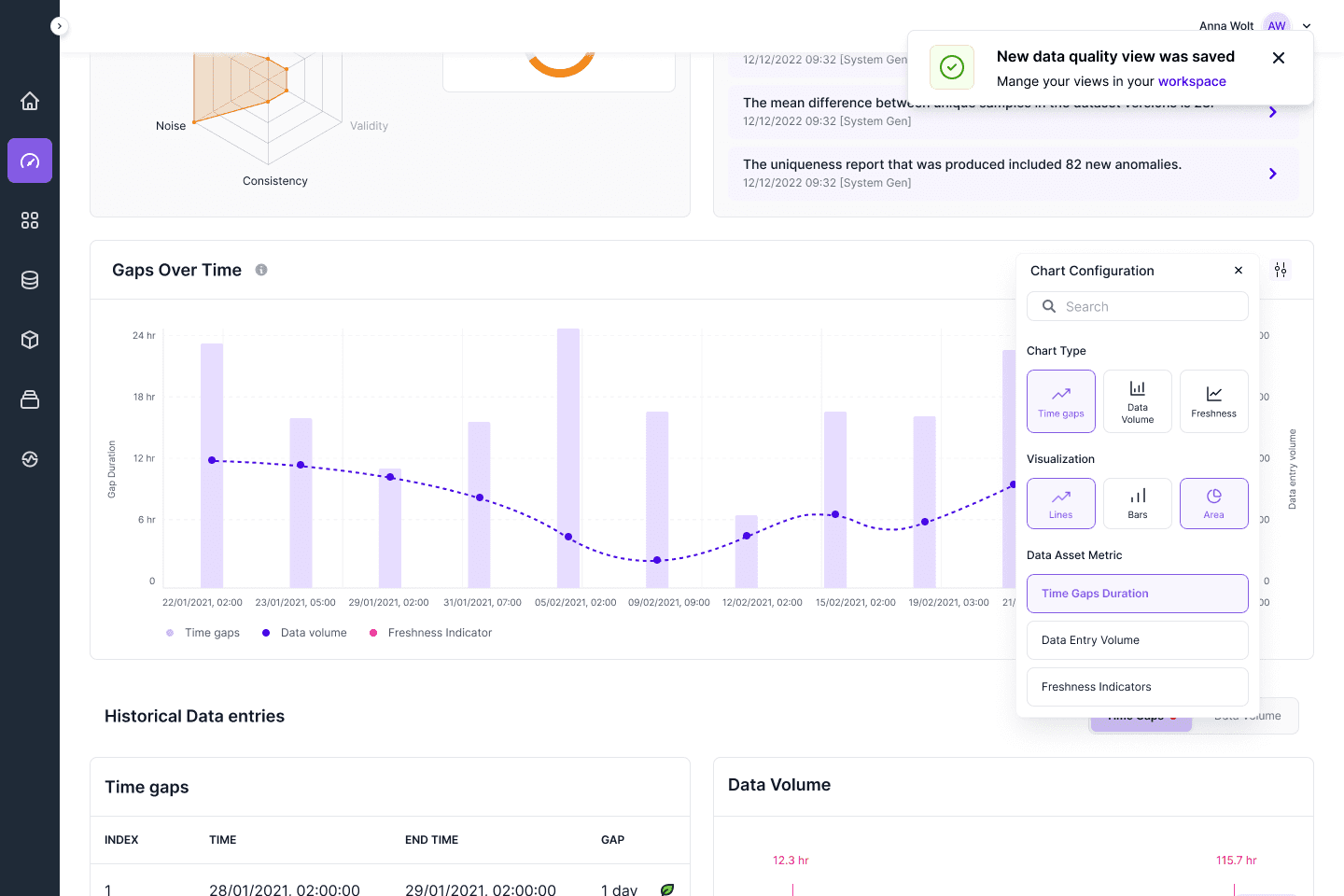
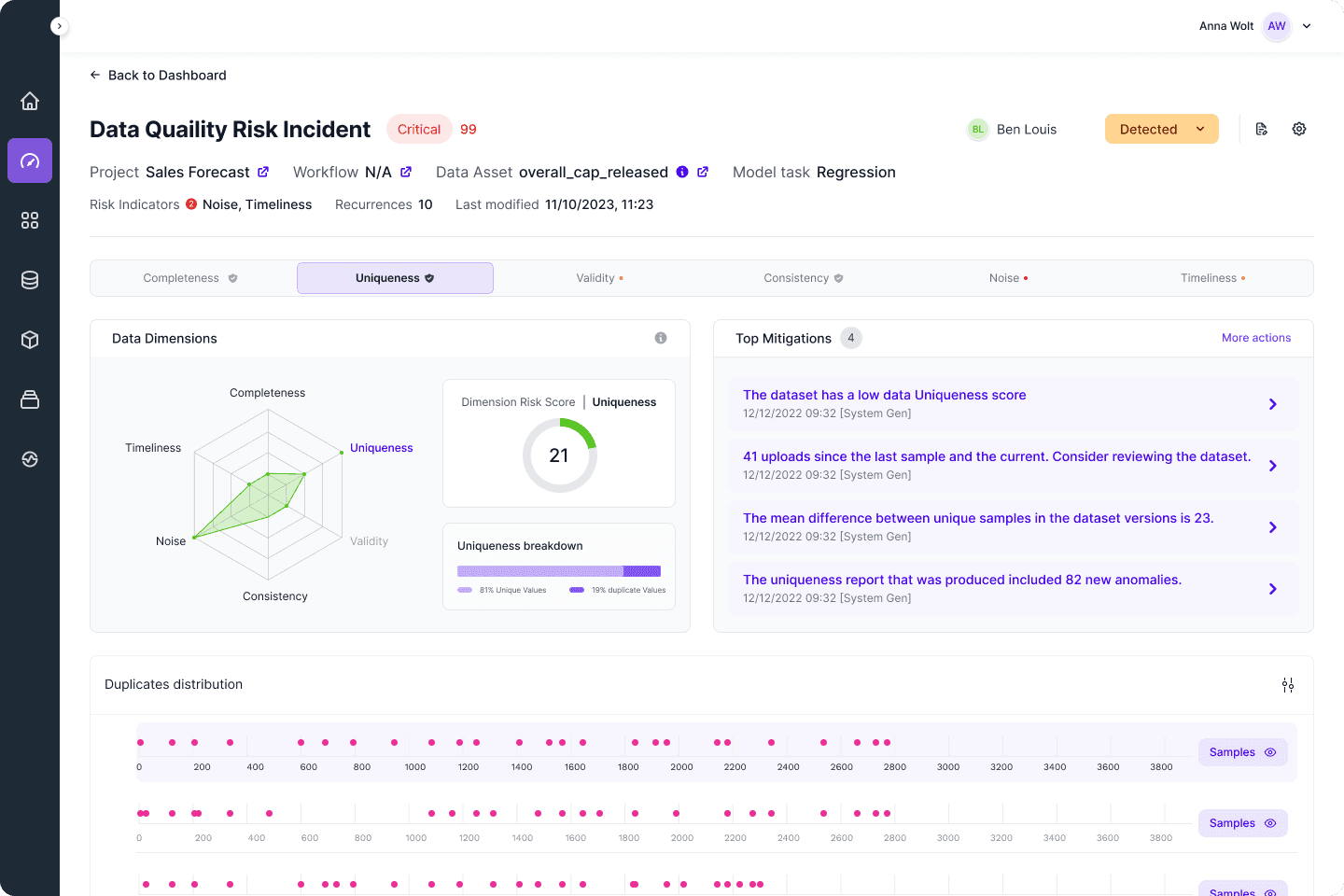
Explainability
The system enables deeper investigation by allowing users to explore changes at the feature and outlier level, examine how those changes evolve over time, and identify the most likely triggers of any incident. The system helps connecting shifts in data into meaningful patterns and faster understanding of what changed and why.
Multiple investigation routes
From the moment the user sees the alert and follows it to a feature or even a complete dataset, the metrics and visual information can be selected to fit most of the common approaches.
Outcomes
Quantitative measures
+32.5%
Response Time (MTTA)
+29%
Resolution Speed (MTTR)
+27%
User Trust & Transparency
+42%
Engagement Level
Exceeded target
Met target
Below target
What I've learned
Things that helped
Close collaboration with product and engineering teams
Continuous iteration and validation throughout the process
When working on legacy systems the logic is much more simple to adjust than the architecture
Working with challenges
Huge differences in how different teams investigate the same incident
Balancing data heavy workflows with cognitive clarity and quick scan efficiency
Reducing alert noise without by layering critical risks